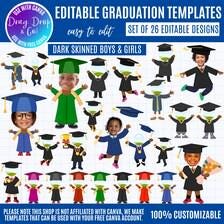
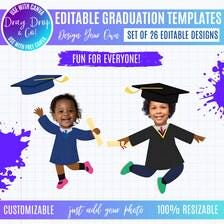
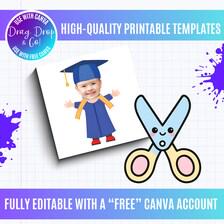
Dark skinned Kids Graduation Face Frames Canva Bundle, Funny Kids Graduate Photo Templates, Insert Face Graduation Designs, Editable Canva
$1.50 $4.99
Details
Dark skinned Kids Graduation Face Frames Canva Bundle | Funny Kids Graduate Photo Templates | Insert Face Graduation Designs | Editable Canva Templates | Preschool Kindergarten Grad
NOTE: THESE FRAMES WORK BEST USING A COMPUTER; SOME MIGHT NOT WORK USING A MOBILE DEVICE, i.e., iPad, iPhone. PLEASE NOTE THAT THE BACKGROUND REMOVER IS NOT AVAILABLE WITH A "FREE" CANVA ACCOUNT; HOWEVER, THERE ARE PLENTY OF "FREE" BACKGROUND REMOVERS THAT ARE EASY TO USE. ONE THAT WE RECOMMEND IS WWW.REMOVE.BG
This bundle includes bonus PNG templates.
We also have dark-skinned graduation kids templates in our shop.
Celebrate your little graduate with these adorable Kids Graduation Face Frame Templates! 🎓
This Canva bundle of kids graduation frames lets you easily add your child’s photo to the face area of each design, creating a fun and memorable graduation photo. Perfect for preschool, kindergarten, and elementary graduation celebrations, these playful templates make great keepsakes, social media posts, party decorations, and gifts for proud parents and family members.
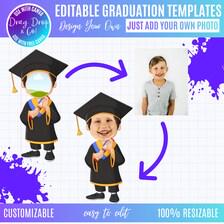
Simply upload your child’s photo in Canva, position it in the face cutout area, and your graduate instantly becomes part of the design!
These frames are great for creating fun graduation portraits, announcements, class memories, or printable gifts for family members.
✨ What You’ll Receive:
• A bundle of editable Canva graduation face frame templates
• Easy drag-and-drop photo placement for your child’s face
• High-resolution designs ready for printing or digital sharing
• Instant access via Canva (Free account works!)
🎓 Perfect For:
• Preschool graduation
• Kindergarten graduation
• Elementary school graduation
• Graduation party decorations
• Social media posts
• Family keepsakes
• Photo gifts for parents and grandparents
🖥 How It Works:
Download the PDF with your Canva link
Open the template in Canva (free account works)
Upload your child’s photo
Place the photo in the face cutout area
Download and print or share!
💡 Why You'll Love It:
• Easy to customize
• No design skills needed
• Cute and memorable graduation photos
• Instant digital download
Create a fun graduation memory your family will cherish with these playful kids graduate face frame templates! 🎓✨
★ ★ ★ ★ ★ ★ ★ ★ ★ ★ ★ ★ ★ ★ ★ ★ ★ ★ ★ ★ ★ ★ ★ ★ ★ ★ ★ ★ ★ ★ ★ ★ ★ ★
★ NOTE ★
These templates work best using a computer; inexperienced Canva users may have issues is using a mobile device.
★ Important Information ★
Our shop is not affiliated with Canva.
To use these templates, you will need a “free” Canva account.
We create templates that can be utilized with your free Canva account.
These Canva frames are intended to be a tool for you to create your own designs.
These are frames—not flattened designs, so you can drop in any pattern or texture to create endless custom looks.
You will use the Canva templates to fill in your own patterns, backgrounds, and designs.
This is NOT a ready-to-use design.
★ HOW TO ORDER ★
Simply add the item to your cart and proceed to finalize your purchase.
After payment is finalized, a file containing the download link to your Canva editable frame template and tutorial template will be sent to your email address.
★ WHAT YOU WILL RECEIVE ★
Downloadable PDF with link to the Canva files after purchase
Instant Digital Download: No physical items will be shipped
Compatible with Canva (Free or Pro)
Free YouTube tutorial:
https://youtu.be/UwYO4Afzzlw
★ How to Download ★
A PDF containing the downloadable link will be provided. The link will give you access to the Canva frames template files.
You can also download your purchase from your Etsy account using the Purchases section.
*OPEN LINK AND CLICK ON USE TEMPLATE FOR NEW DESIGN.
★ Using Canva Templates ★
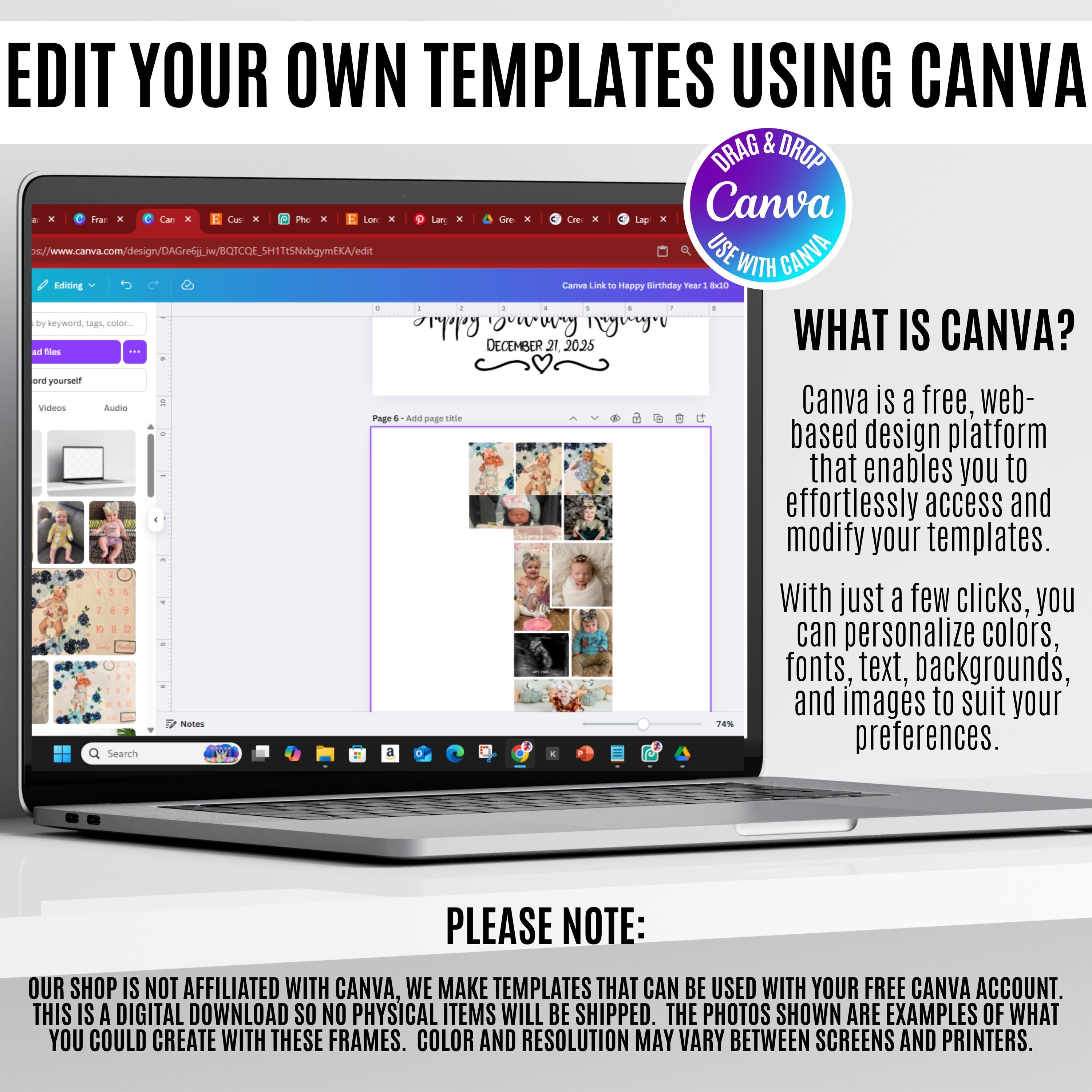
Ensure you have the necessary software (CANVA) and expertise to use this graphic, as refunds are not available for digital downloads. All my templates are designed and made to work perfectly with a free Canva account. While a free account is enough to edit and use all my templates, Canva Pro is needed for transparent backgrounds and to remove backgrounds. Here is a free background remover if you do not have Canva Pro: https://www.remove.bg
You can start a 30-day free trial at [Canva Pro](https://www.canva.com/pro/) or get Canva Pro free with an .edu email if you're a student or have children.
★ WHY CANVA FRAMES? ★
One Canva frame bundle gives you the ability to design multiple unique graphics without needing multiple files. These versatile frames are ideal for a variety of DIY projects and are perfect for small business needs. Here are some of the creative ways to utilize these Canva frames: Heat pressing, crafting projects, sublimation, printing, layering for various projects, card making, scrapbooking, invitations, printable gift wraps, paper stationery, clothing, accessories, weddings, packaging, and much more!
★ USE OF THESE FRAMES ★
These files are for PERSONAL and SMALL BUSINESS COMMERCIAL use in creating physical products.
🔹Commercial use is allowed for any physical product (tumblers, shirts, stickers, mugs, etc.). Designed with commercial use in mind, you can confidently incorporate these templates into your professional designs.
🔹For digital products: Ensure that your exported designs are in a format that prevents customers from extracting the editable design files.
Feel free to sell designs as raster image files, such as PNG or JPG, but refrain from selling design files in formats like PDF or SVG.
🔹Remember, you are not permitted to resell the design files as they were originally provided to you.
[TERMS OF USE]:
Reselling our Canva frame template files is STRICTLY PROHIBITED.
By purchasing this design(s), you are agreeing to the licensing restrictions and Terms of Use provided herein.
★ TRADEMARK VIOLATIONS ★
I am NOT responsible for trademark violations if you purchase and sell a phrase that is trademarked in the category in which you are selling it. I advise you to properly and thoroughly research trademarks. You can find out if the phrase is trademarked by going to the TESS Trademark database (https://tmsearch.uspto.gov/search/search-information) and doing a search.
★ REFUND POLICY ★
Please note that this is a DIGITAL DOWNLOAD file with no physical product included. Due to the electronic nature of the file, NO REFUNDS will be given. Therefore, please make sure you check (and double-check!) the file type you need prior to making your purchase. If you have questions, please do not hesitate to contact us!
★ CONTACT US ★
For any questions or requests, please contact us, and we will respond within 24 hours. If you experience file issues, please message us for prompt assistance. For concerns, please avoid leaving negative reviews and reach out to us—we will gladly resend files or assist you with any questions.
kids graduation frame graduation face frame kids grad photo template kindergarten grad frame preschool graduation kids graduation template insert face template graduation photo frame canva graduation frame kids grad photo prop editable grad template funny grad photo frame graduation canva template kids graduation photo frame graduation face insert template kids graduation canva template editable kids graduation frame preschool graduation photo template kindergarten graduation photo frame funny graduation face frame add your photo graduation template kids graduation picture frame graduation photo prop template kids graduation announcement template editable graduation photo design canva kids graduation template child graduation photo template face swap graduation template Optional Alternate Etsy Title (More SEO Packed) Kids Graduation Face Frame Canva Bundle | Add Your Child’s Photo | Funny Kids Graduation Photo Template | Preschool Kindergarten Grad Editable Frame
add your face canva, add your face custom, kids graduation fram, graduation face fram, kids grad photo temp, kindegarten grad, preschool graduation, canva graduation fra
Digital downloads
Your files will be available to download once payment is confirmed.
Frequently Asked Questions
How do customers receive digital files after purchase?
Customers receive digital files instantly via download links provided by Etsy upon completing their purchase. Please note that some files may be compressed into a zip folder for efficient delivery. In such cases, customers will need to unzip the folder to access the individual files.
How do you handle copyright and intellectual property rights?
We ensure that we have the legal right to sell the digital files listed on our store and avoid using copyrighted material without permission. However, it's essential for you to double-check, as certain phrases and words may become copyrighted over time. Our shop's terms and conditions comprehensively outline our copyright policies.
What if I have trouble downloading the files?
If you encounter any difficulties downloading or using our files, please refrain from leaving a negative review. Instead, reach out to us directly, and we'll do our best to find a solution promptly. We can provide assistance and even offer alternative file formats via email if necessary. Please note that most of the time, any issues you experience are due to compatibility concerns. Your satisfaction is our priority, and we're here to help resolve any issues you may encounter.
When purchasing through sign in with Apple user:
Please note that sometimes when you purchase through sign in with Apple, downloads are not shown: For that you need to go to etsy.com and sign in to your Etsy account through the internet browser. Tap on your profile icon in the top right corner and select "Purchases and Reviews" from the drop-down menu. Find the digital item you want to download and tap on the "Download Files" button. The file should start downloading automatically.
About Canva templates and Canva Frames:
All of my Canva templates and frames are completely accessible without needing a premium account. Each template contains custom-designed elements that I’ve personally created, and they can be used freely without any restrictions tied to a premium subscription. You just need to have a free Canva account to get started!
Downloading through Google Drive:
For the best experience, we recommend downloading files on a desktop or laptop:
Open the link in your browser:
- Right-click the file or folder and select Download.
- The folder will be downloaded as a ZIP file or you can download individual files.
**On mobile devices, Google Drive only allows you to download files one by one. If you encounter any issues or need help, feel free to reach out!